
Ever notice your game feels slower or faster depending on what device you’re playing it on? Frame rate might be the culprit.
Frame rate independence might sound advanced, but it’s actually foundational to smooth gameplay. Here’s the problem: if your movement code says ‘move 5 units per frame’, that means different things on different devices. On a 60fps device, the player moves 300 units per second. On a 144fps device running the same code, the player moves 720 units per second.

The solution is simple: Time.deltaTime. This value represents how long the last frame took in seconds. On a 60fps device, it’s about 0.0167 seconds. On 144fps, it’s about 0.0069 seconds. When you multiply your movement by this value, you’re saying ‘move 5 units per second’, not ‘move 5 units per frame’. Now the player moves at the same speed everywhere.
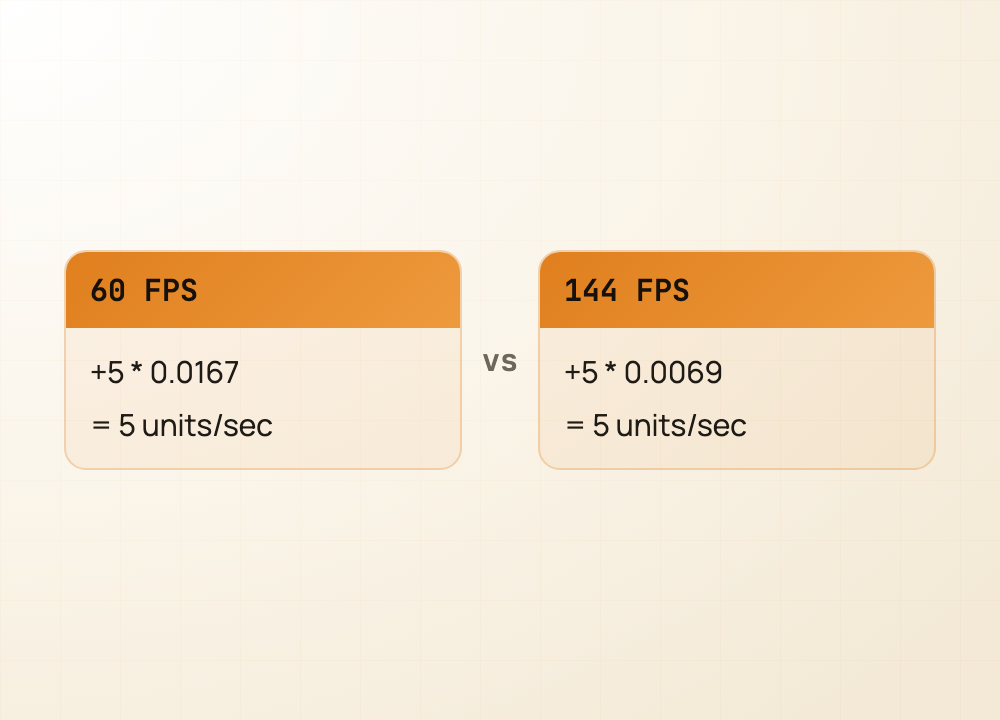
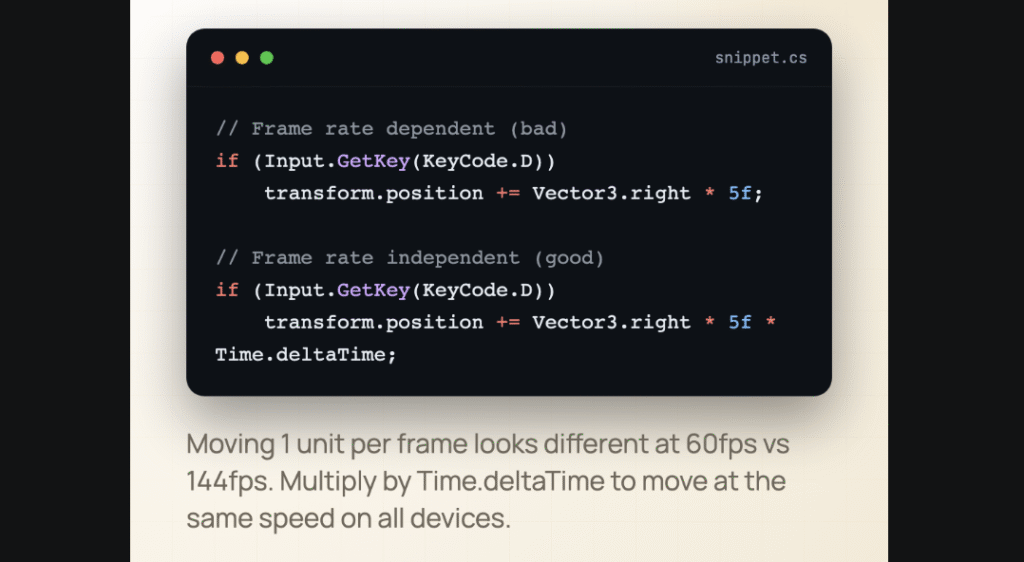
Your movement code should always look like this: position += direction * speed * Time.deltaTime. It’s a one-line fix that makes your game feel consistent across all devices and saves you debugging nightmares later.
Follow @artanodestudios for more.
#unity #csharp #gamedev #unitytips #gameprogramming #indiedev #solodev